Friday, 23 April 2021

How to do Gmail forwarding ? / Email फॉरवर्डिंग कैसे करें ?
Email फॉरवर्डिंग कैसे करें ? किसी और की मेल्स को अपनी जीमेल पर कैसे देखें ? एक ही मेल्स को बिना भेजें दो आईडी पर कैसे देखें ? जीमेल फॉरवर्डिंग क्या होता है ? जीमेल फॉरवर्डिंग का उपयोग क्यों और कब करें How to do Gmail forwarding ? What is email forwarding ? How to view someone's mails on your Gmail ? How to view your mails on two mail id’s Why and when to use Gmail Forwarding ?
Sunday, 31 January 2021
Practical Set of Microsoft Windows Server 2008 R2 in Hindi & English
Please have a look at my new book written by me. It is in Hindi and as well as in English.
The link is given below or Click Here
Link : https://imojo.in/2vjtai

Thursday, 1 March 2018
How to Set Password on MS. Outlook Profile.
Friends as you know that security is the most important things for us.
People use Outlook for easy their work. People want to secure their data , so without waste our time lets learn "how to set the password on Outlook". So lets start......
1. Open Control Panel for it press "Windows + R" and type "Control" then OK.

2.Now click on Mail (32-bit)..

3. Then click on show profile..

4.Now select your profile then click on Properties...

5. Now click on Data File...

6.Now click on the Setting options.
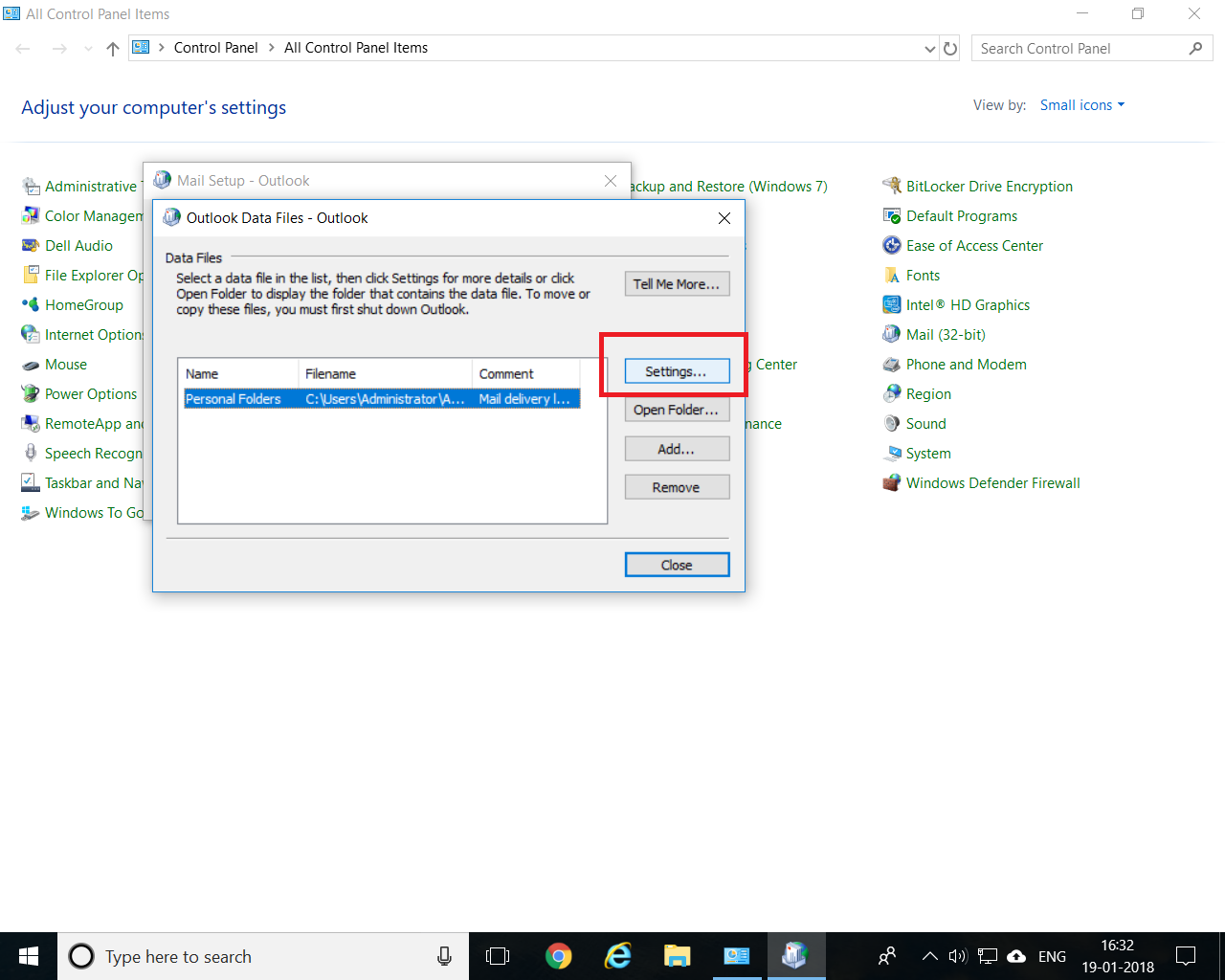
7. Now click on Change Password.

8.Now keep blank the old password box (if you are setting the password on outlook first time and if you are going to change your outlook password then type here your old password) then click in the new password the verify it then click OK.And close the all Tabs..

9.Now just open the outlook , you can see it is asking for password.

Now you have successfully set the password on outlook.
Hope you like this post, Thanks for visiting here .
Subscribe to:
Posts (Atom)